Track

Account Manager is the simplest way to manage your daily expenses, personal finance, business accounts, and customer entries all in one place.


playstore App
TrackLedger App

App Features

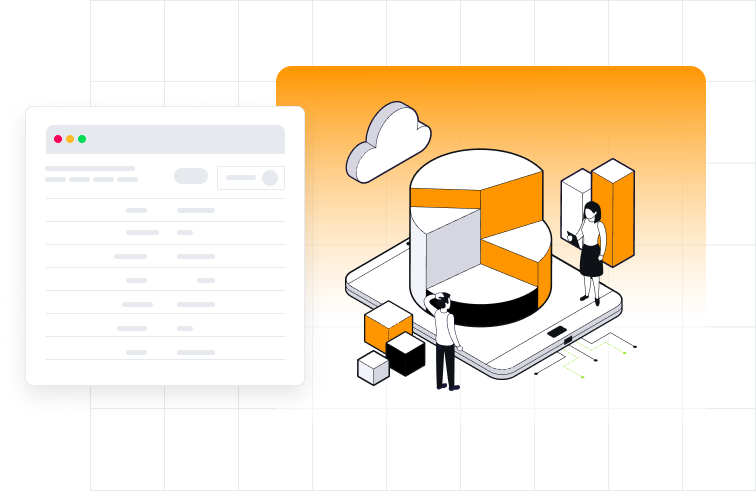
The TrackLedger app brings all your financial entries together in one clean dashboard.
Enjoy automated totals, reminders, and secure backup.

language

Multi Language

Choose from English & Hindi Language.

language

Multi Platform

Choose from English & Hindi Language.

language

Reports and Account Statements

Choose from English & Hindi Language.

language

100% Safe and Secure

Choose from English & Hindi Language.

TrackLedger App

Pricing

The TrackLedger app brings all your financial entries together in one clean dashboard.
Enjoy automated totals, reminders, and secure backup.

Frequently Asked Questions

Yes.
Ledger Book works completely offline. You can add, edit, and view all your transactions without any internet connection.

Your data is stored locally on your device.

Ledger Book does not store your data on any server. We do not have access to your financial information.

Google Drive backup is an optional feature that lets you save a copy of your data to your own Google Drive.

This helps you:

Protect your data

Restore data if you change phones

Recover data after reinstalling the app

Google Sign-In is used only for two purposes:

Subscription verification

Google Drive backup & restore

Ledger Book does not create its own user accounts.

No.

You can use Ledger Book without signing in if you:

Don’t need Google Drive backup

Don’t have an active subscription

Google Sign-In is required only to:

Activate or restore a subscription

Enable Google Drive backup

Google Sign-In helps:

Verify your Pro subscription

Restore your subscription if you reinstall the app or change devices

This prevents subscription loss and fraud.

When you connect Google Sign-In:

Ledger Book saves backup files to your own Google Drive

Backups are stored in the app’s private Drive folder

Ledger Book cannot access other files in your Drive

Yes.

Backup files are stored in your Google Drive

Pro users can enable encrypted backups

Encryption passwords are never stored or sent anywhere

Only you can restore your data.

If Google Drive backup was enabled:

Install Ledger Book on a new device

Sign in with the same Google account

Restore your latest backup

If backup was not enabled, data cannot be recovered.

Yes.

Ledger Book keeps multiple recent backups so you can restore an older version if needed.

Yes.

You can export your data to:

PDF

Excel

Your data is always portable.

The free version may show ads.

The Pro version is ad-free.

₹99 per year.

No hidden charges. Cancel anytime.

No.

Ledger Book:

Does not collect ledger data

Does not share data with third parties

Does not store your financial information

Google Sign-In is used only for subscription and Drive backup.

If you sign out:

Google Drive backup will stop

Subscription verification may not work

Your local data will remain safe

📧 Email: support@indtechmark.com
🌐 Website: ledgermanager.indtm.in

CALL
CALL

+916232696232

CALL
EMAIL

info@indtechmark.com

ADDRESS
ADDRESS

Shishwachak, Punpun, Patna (804453)

WORKING
WORKING HOURS

MON - FRI 9.00 TO 7.30 PM
SATURDAY 9.00 TO 7.30 PM

Reach Out to Us for Further Information or Assistance Today.

Feel free to reach out to us for any inquiries or assistance. Our team is here to help resolve any issues you may have. We strive to respond quickly and in touch with your organization. It highlights various communication channels.

Our Customer Says

View the Opinion of our client regarding
us and our work

Default testimonial image

Neha Verma

Freelancer

I like that Ledger Book doesn’t ask for unnecessary signup. Everything stays on my phone, and Drive backup helps when changing devices. Clean UI and very easy to use.

Default testimonial image

Amit Sharma

Small Business Owner

Ledger Book is exactly what I needed. It works completely offline and keeps my data private. The Google Drive backup gives peace of mind without forcing cloud sync. Simple and reliable.